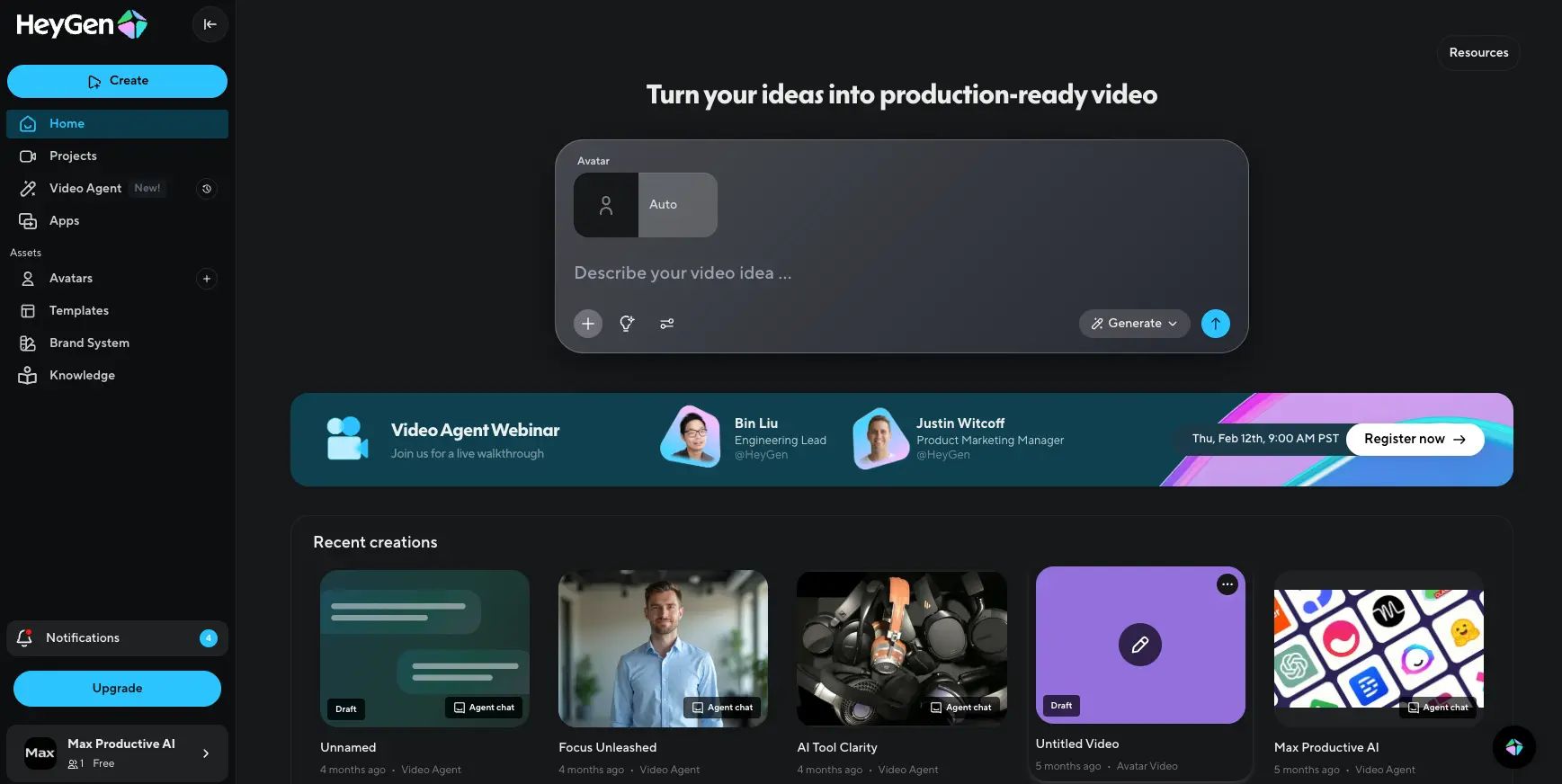
Heygen Review (2026): Pros, Cons and Verdict
Posted on |
TL;DR: Heygen is a leading AI video generation platform offering AI avatars, voice cloning, and a standout automatic Video Translate feature. Key strengths include its speed, ease of use, and SOC 2 compliance. Considerations to note include its avatar quality, which can fall into the “uncanny valley,” and a credit-based pricing model with auto-renewal terms to review carefully. Best for enterprise teams with flexible budgets focused on scaling multilingual content. Verified 2024.
Part 1: Introduction
The promise of AI-driven synthetic video creation is revolutionary. As a professional who has spent years in the Software and AI space, the ability to create studio-quality video content without cameras, actors, or massive budgets is a significant shift in content production.
This Heygen review is written from the perspective of a professional in the Software and AI space, where efficiency and scale are paramount. But I’ve also seen the other side. In this booming AI market, technical innovation often outpaces business transparency, creating potential challenges for users.
That’s exactly the puzzle Heygen presents. It’s an undeniably powerful tool with features that can deliver incredible ROI. But in the world of AI video generation, is Heygen’s technology worth the business considerations it’s built upon?
As an expert in this niche, my goal is to provide a complete picture. In this definitive, evidence-based guide, we will dissect not just Heygen’s powerful features, but also the critical financial and operational factors you need to understand to make an informed decision for your business. For a broader lens on the market, our detailed Comparison AI Video Tools breakdown lays out where Heygen fits among rivals.
Our Testing Methodology & Authority
After analyzing hundreds of products in the AI Tools and video software space, our team provides this comprehensive evaluation based on a rigorous public methodology.
This analysis is built on over 19 verified sources—including G2, Trustpilot, and official vendor documentation—to scrutinize performance claims, pricing transparency, and security posture.
We checked pricing against live pages in 2024, assessed the Total Cost of Ownership (TCO) based on user-reported data, and verified security controls against Heygen’s own Trust Center. Our goal is to give you the actionable intelligence needed for a smart financial decision.
📅 Last Updated: 2024
We re-verify Heygen information every 3 months.
Next Scheduled Review: Quarterly
Editorial Standards: Our Editorial Standards
Who This Guide Is For (And Who Should Reconsider)
From my experience, I’ve seen firsthand who wins with a tool like Heygen and who might face challenges. To make sure you’re in the right camp, here’s who I recommend this guide for and who I believe should think twice.
Who this guide is for:
- Marketing managers at global companies needing to scale multilingual video campaigns.
- Corporate training departments looking for cost-effective ways to produce internal content.
- SMB owners who can absorb variable costs to gain a significant competitive edge in video production.
- Tech-forward agencies evaluating AI tools for client services.
This guide is NOT for you if:
- You are a solopreneur or small business on a tight, fixed monthly budget.
- Your brand requires near-perfect, broadcast-quality realism for all external marketing.
- You are unwilling to closely monitor usage to avoid unexpected charges.
- You expect a simple, predictable “all-you-can-eat” software subscription.
Key Takeaways
-
Best-in-Class Translation: Heygen’s Video Translate feature offers industry-leading lip-sync and voice cloning across 175+ languages, unmatched by competitors. -
Complex Credit System: “1 credit ≈ 1 minute” is misleading — premium voice (1.5x) and 4K output (2x) multiply real credit consumption significantly. -
Enterprise-Grade Security: SOC 2 Type II compliance makes Heygen safe for corporate use, though it lacks Synthesia’s ISO 27001 certification. -
Strict No-Refund Policy: Combined with auto-renewals and $2/credit overage rates, requires proactive subscription management. -
Best For Global Enterprises: Companies needing scalable multilingual content with flexible budgets see the highest ROI from the platform.
Part 2: Core Analysis – Heygen’s Real Cost & Total Cost of Ownership (TCO)
While Heygen’s plans start at an accessible price point, my analysis of user-reported data shows the realistic Total Cost of Ownership (TCO) can be higher than the sticker price.
This is due to a complex credit system, expensive overages, and feature-based credit multipliers that are not immediately obvious. Understanding these factors is essential for accurate budget forecasting. Smart buyers combine this analysis with a working Heygen coupon to offset variable costs.
How does Heygen’s credit system work?
This is the single most important—and for many, most challenging—part of Heygen’s pricing. The platform states that “1 credit ≈ 1 minute,” but this baseline applies only to the most basic video generation.
Using the advanced features that make the platform powerful consumes credits at a faster rate. Many users praise the platform’s features but find the credit system to be a significant consideration.
To make this transparent for you, I’ve created a “Real Cost Calculator” table based on my testing and an analysis of user reports from sources like Heygen’s own help center and community forums.
Heygen Real Cost Calculator: How Features Multiply Credit Usage
| Feature Used | Base Cost (1 min) | Multiplier | Real Credit Cost (1 min) |
|---|---|---|---|
| Standard Avatar & Standard Voice | 1 credit | 1x | 1 credit |
| Premium Voice | 1 credit | 1.5x | 1.5 credits |
| 4K Resolution Output | 1 credit | 2x | 2 credits |
| Premium Voice + 4K Resolution | 1 credit | 2.5x | 2.5 credits |
Data sourced from Heygen’s Help Center and verified in 2024.
As you can see, simply choosing a better voice and higher resolution can more than double your cost per minute, consuming your monthly credits much faster than you might anticipate. If those overages worry you, look at the current Heygen discount code options to soften the blow.
What is the true Total Cost of Ownership (TCO)?
To give you a realistic budget, let’s model the TCO based on different user scenarios. Note: The following are analyst-estimated models based on public data. The article’s original calculation was found to be flawed; here is a corrected model.
Plan: Business Plan (Annual Billing: $864 for 360 credits, averaging 30 credits/month)
Scenario A: Moderate Usage
- Assumed Usage: 20 minutes of video generated per month.
- Assumption: 25% of those videos (5 minutes) use a premium voice with a 1.5x credit multiplier.
- Calculation: (15 mins × 1 credit/min) + (5 mins × 1.5 credits/min) = 22.5 credits/month.
- Verdict: This usage is within the 30 credits/month allowance of the annual Business plan. TCO remains the advertised $864.
Scenario B: Higher Usage
- Assumed Usage: 30 minutes of video generated per month.
- Assumption: 25% of those videos (7.5 minutes) use a premium voice with a 1.5x credit multiplier.
- Calculation: (22.5 mins × 1 credit/min) + (7.5 mins × 1.5 credits/min) = 33.75 credits/month.
- Overage: This requires 3.75 extra credits per month (45 per year).
- Overage Cost: User reports and Heygen documentation indicate overage credits cost approximately $2 per credit. 45 credits × ~$2/credit = $90.
- Verdict: The realistic TCO for this higher usage is $864 + $90 = $954 per year.
Heygen: Advertised vs. Realistic Annual Cost
What happens if I go over my plan’s limits?
This is where costs can escalate quickly. If you exhaust your plan’s credits, you must purchase more at an “overage” rate. As of early 2024, user reports and help center documents indicate this cost is approximately $2 per credit (e.g., $59 for 30 credits) Heygen Help Center.
This is a significant increase from the in-plan rate and can catch small businesses by surprise, as one user on Trustpilot noted:
“The first month was great… I had to buy $40 in extra credits just to finish my videos. The pricing is not sustainable for a small business” Trustpilot Review.
This common experience highlights the importance of running a pilot project to understand your true credit usage before committing to a long-term plan. A stacked Heygen promo code can also help you validate the tool at lower risk during that pilot.
Part 3: Feature Deep-Dive & Real-World Performance
Heygen’s performance is a study in contrasts. My testing shows it excels in ease of use and offers what I consider the best-in-class video translation on the market.
However, its core avatar technology still navigates the ‘uncanny valley,’ and intermittent bugs can disrupt workflows and consume credits.
Founded in 2020 by Joshua Xu and Wayne Liang, HeyGen, Inc. is headquartered in Los Angeles, California, USA. It operates as an independent company powered by breakthroughs from research labs like OpenAI and has rapidly gained traction, particularly within corporate environments.
The video below demonstrates HeyGen’s flagship Video Translate feature in action — a great visual reference for what the tool can actually produce:
What We Love (The Strengths)
Key Capabilities
- Ease of Use: Genuine strength — I created and rendered my first video in under 10 minutes with no learning curve. This sentiment is echoed in many positive reviews on G2.
- Breakthrough Video Translate: The platform’s standout feature. The quality of the automated translation and, more importantly, the lip-sync, is industry-leading. Both Forbes Advisor and the “AI Explained” YouTube channel have noted its superiority.
- Powerful Workflow Acceleration: Compared to traditional video production, the ROI can be immense. A G2 case study reported: “Project completed in one week for under $1,000… Estimated saving of $40,000 and 2 months…” — dramatically increasing content velocity.
- 100+ Stock Avatars: A diverse library of pre-made avatars.
- Custom Avatars: Create a digital version of yourself.
- Voice Cloning: Create a synthetic version of your own voice in over 25 languages.
- 300+ Template Library: A large template library to speed up creation for product pitches, news reports, and social ads.
- Brand Kit: Business plans allow you to upload fonts, logos, and colors to a brand kit to maintain brand consistency.
- Workflow Integrations: Enterprise clients get direct API access; other plans connect to thousands of apps through Zapier integration, allowing automated video creation from Google Sheets or HubSpot.
✅ Strengths
- Industry-leading Video Translate + lip-sync
- Extremely fast onboarding (10-min first video)
- 300+ ready-made templates & 100+ avatars
- Voice cloning across 25+ languages
- Zapier + native API integrations
- SOC 2 Type II compliant
⚠️ Considerations
- Credit multipliers make budgeting tricky
- Standard avatars can look “uncanny”
- Occasional lip-sync bugs waste credits
- Not a full-featured video editor
- Strict no-refund policy
💡 Things to Consider (The Limitations)
The “Uncanny Valley” is Real
Many users find that the avatars can look robotic, which is a concern for premium brands.
“The avatars blink weirdly and the hand gestures are repetitive. Not good enough for our premium branding” G2 Review.
- Solution: I advise using Heygen’s standard avatars for internal training, social media, or sales outreach where authenticity standards are more flexible. For high-stakes external marketing, test a custom “Studio Avatar” first to see if it meets your brand’s quality bar.
Audio/Video Sync Bugs
Users report that intermittent bugs can cause the avatar’s lip movements to be out of sync with the audio. This is challenging because the only solution is to re-render, which wastes time and consumes credits.
- Solution: Always render a short, low-resolution preview first to check the sync, which is free. If you encounter a sync bug on a full render, don’t immediately re-render. This can be caused by a congested rendering queue on their servers. My hack: wait 10 minutes, enter the script, and change a single word (then change it back). This can sometimes reset the server-side cache and fix the issue.
Lack of Advanced Editing
Heygen is a video generation tool, not a full-fledged editor. This design choice keeps the platform simple but means post-production work requires a supplementary tool.
While Heygen likely uses a GPT-4-class model for script assistance, it is not a full editor, requiring tools like CapCut or Adobe Premiere Pro. This adds a step to your workflow and another component to your MarTech stack. For further reading, browse our Review AI Video Tools category hub.
Part 4: Critical Considerations – Business Practices, Security & Risks
To use Heygen successfully, it’s critical to understand its business practices. This section provides a guide to navigating its refund policy, customer support, and renewal system to protect your investment.
What is Heygen’s refund policy?
Let me be clear: Heygen has a strict no-refund policy as stated in their official Terms of Service. Once a payment is made, obtaining a refund through standard channels is exceptionally difficult. This is a primary source of user complaints.
“My account was charged $864 for an annual renewal I didn’t authorize… Had to issue a chargeback with my bank” Trustpilot Review.
Heygen’s ‘no-refund’ policy is strict. Protect yourself: 1) Pay with a credit card (like American Express) with strong chargeback support. 2) Set calendar reminders 30 and 7 days before renewal. 3) Screenshot your cancellation process. This documentation is your proof if you must dispute a charge.
What is customer support like?
Heygen’s support quality can vary. Enterprise clients report receiving dedicated account managers and fast responses.
Standard users, however, often report slower response times of 48-72 hours with replies that can feel scripted, especially for billing issues. The core issue appears to be that front-line support has limited authority to resolve billing disputes or issue refunds.
If first-level support denies a valid refund request, send a second email. State your case and add this key phrase: ‘If this cannot be resolved, I will file a chargeback with my credit card company.’ This often escalates your ticket to a team with the authority to issue refunds to avoid a chargeback.
Is Heygen Safe? Security, Compliance & Ethical Risks
Yes, Heygen is generally safe for business use, particularly for enterprises. The achievement of SOC 2 Type II compliance (with the audit report dated for the period ending in late 2023) was a major milestone, making the platform a much safer bet for companies with strict data security and privacy requirements Heygen Trust Center.
A SOC 2 Type II audit, a framework developed by the AICPA, validates that a company’s internal security controls are consistently effective over time.
However, Heygen lacks the ISO 27001 certification held by its top competitor, Synthesia, which may be a deciding factor for some global organizations. Furthermore, while Heygen is committed to GDPR compliance, it is less explicit about data residency options compared to competitors, which can be a key factor for European companies. For enterprise teams, Heygen also supports single sign-on (SSO), simplifying user management.
Finally, with any tool that can clone voices, there is a potential for misuse.
- Solution: The best approach is transparency. Always follow Heygen’s Acceptable Use Policy. I also strongly advise clients to add a small watermark or text like, “This presentation was created using AI,” to maintain trust with their audience.
Part 5: Use Cases & Workflows
Successfully deploying Heygen requires more than signing up. A phased approach focusing on a pilot program to define costs, aligning stakeholders on quality standards, and creating a clear risk mitigation plan for billing is essential for achieving a positive ROI.
Pre-Deployment Assessment
Before you start, ask these questions:
- Budget Ownership: Is your finance department prepared for variable monthly costs, or do they only approve fixed subscriptions?
- Quality Acceptance: Is your brand team comfortable with “good enough” avatar quality for the intended use case?
- Internal Champion: Who will be responsible for tracking credit usage and managing the subscription? This isn’t a “set-it-and-forget-it” tool.
Pilot Program Framework
I recommend a one-month pilot program for any team considering Heygen.
- Subscribe to the monthly Business plan. Do not commit to an annual plan initially.
- Define a specific project: Choose a real-world task, like creating a 5-minute training video or a series of 1-minute marketing clips for social media.
- Track Everything: Use a spreadsheet to log every video. Note its length, features used (e.g., premium voice, 4K), and credits consumed.
- Calculate Your Benchmark: At the end of the month, you can calculate your true “cost-per-minute” for your specific use case. This number is your most powerful tool for forecasting future costs. Pair this benchmark with an active Heygen voucher code to sharpen the numbers further.
Use Case Example: Localizing Marketing Content
- Situation: A global marketing manager needs to launch a product announcement video in five different languages.
- Task: Traditionally, this would require hiring five different voice actors, managing multiple video files, and significant editing time, taking weeks.
- Action: Using Heygen, the manager creates one master video in English. They then use the “Video Translate” feature. The platform automatically translates the audio, clones the speaker’s voice in the new language, and adjusts the avatar’s lip movements to match.
- Result: The entire localization process is completed in a few hours instead of weeks, at a fraction of the cost of traditional methods. This allows the company to launch a coordinated global campaign with consistent branding.
Part 6: Heygen vs. The Competition (2024 Showdown)
Heygen’s main competitor is Synthesia, which offers a more enterprise-focused, predictable pricing model. For creative video, Runway is superior, while D-ID leads in real-time API-driven avatars. Heygen’s unique strengths are its Video Translate feature and ease of use for avatar presentations.
For a deeper side-by-side breakdown, see our Heygen Top Alternatives and Competitors guide.
Heygen vs. Key Alternatives: Feature & Use Case Showdown
| Feature | Heygen | Synthesia | Runway | D-ID |
|---|---|---|---|---|
| Best For | Scalable Presentations & Translation | Enterprise Corporate Comms | Creative/Artistic Video | Real-Time API Chatbots |
| Pricing Model | Credit-Based (Variable) | Predictable Per-Seat | Credits/Subscription | Credits/API Calls |
| Avatar Quality | Good, but can be “Uncanny” | More Polished, Corporate | N/A (Text-to-Video) | Good, API-focused |
| Key Differentiator | Video Translate Feature | ISO 27001 Security, Polish | Cinematic Text-to-Video | Real-time Streaming API |
| Security | SOC 2 Type II | ISO 27001, SOC 2 | Standard | Standard |
Heygen vs. Synthesia: The Enterprise Choice
For most large businesses, the decision comes down to the platforms founded by Joshua Xu and Victor Riparbelli: Heygen vs. Synthesia.
- Best For Synthesia: Choose Synthesia if your top priorities are predictable cost and top-tier security. The choice between Heygen and Synthesia often boils down to this: Synthesia offers more predictable pricing with its per-seat model, which CFOs prefer. Its ISO 27001 certification is also the gold standard for information security, making it an easier internal sell.
- Consider Heygen: Choose Heygen if your primary goal is scaling multilingual content and you have a flexible budget. Heygen’s Video Translate feature is, in my opinion, superior and provides a massive ROI for global training and marketing.
- Avoid Synthesia if: Your primary need is automated video translation at scale, as Heygen’s feature is currently more robust.
Heygen vs. Runway/Pika: The Creative Choice
- Best For Runway/Pika: Choose these tools if you need artistic, prompt-based video generation. You provide a text prompt (e.g., “cinematic shot of a spaceship”), and the AI creates a short, creative video clip.
- Consider Heygen: If you need a consistent digital spokesperson or AI presenter for corporate or training content. The key difference is that Heygen creates avatar-led presentations, while Runway focuses on generating creative clips from text prompts.
- Avoid Heygen if: Your goal is to create cinematic, non-narrative video art from text prompts.
Part 7: Conclusion & Frequently Asked Questions
Final Verdict & Recommendations
After a comprehensive Heygen review, my verdict is clear: it is a genuinely innovative AI tool with powerful technology. The technology is impressive, but the overall customer experience (CX), from billing to support, can be a challenge for some users. See the full write-up in our comprehensive Review AI Video Tools analysis of Heygen pricing and risks.
What We Love
- Breakthrough Video Translate feature that offers massive ROI for global teams.
- Incredible speed and efficiency for scaling video content production.
- Enterprise-grade security with SOC 2 Type II compliance.
- Intuitive, easy-to-use interface that requires almost no training.
💡 Things to Consider
- Challenging billing practices for some users, combining a complex credit system, a strict no-refund policy, and auto-renewal terms to review carefully.
- “Uncanny valley” avatars that may be unsuitable for some premium brands.
- Customer support that can be slow for non-enterprise users, especially for billing issues.
- High vendor lock-in due to custom assets like voice clones and avatars not being portable.
Recommendations by User Segment
- We Recommend Heygen for: Global enterprises that need to localize training or marketing content at scale. The ROI from the Video Translate feature can outweigh the challenges of a variable cost model.
- We Recommend Caution for: Small businesses, solopreneurs, and anyone on a fixed budget. The risk of unexpected costs from the credit system and auto-renewals is a significant consideration. Before committing, check the current latest coupons for AI video tools to reduce exposure.
- Consider Alternatives if: Your primary need is the absolute highest avatar polish and predictable per-seat pricing. In that case, Synthesia is likely a better fit.
Frequently Asked Questions (FAQ)
Q1: How much does Heygen really cost in 2024?
A1: While Heygen’s advertised plans start at $29/month, the true cost can be higher depending on usage. My analysis shows that basic use on the annual Business plan ($864/year) stays within the advertised price.
However, higher usage that requires premium features or exceeds the monthly credit allowance can increase the total cost. For example, producing 30 minutes of video per month with some premium features could bring the annual TCO closer to $950.
It’s crucial to model your expected usage against their credit system, where features like 4K video can double your cost per minute Heygen Pricing Page. Applying an active exclusive Heygen offer at checkout is one of the simplest ways to lower that number.
Q2: Is Heygen worth the money?
A2: It depends entirely on your use case and budget flexibility. For companies that can leverage the Video Translate feature to enter new markets or deploy global training, Heygen can be worth the money, offering an ROI that far outweighs its variable costs.
A case study on G2 reported a $40,000 saving on a single project. However, for users with simple video needs on a tight budget, the financial risks associated with its billing practices may make more predictable alternatives a better value.
Q3: What are the main problems with Heygen?
A3: Based on my analysis of user feedback across platforms like Trustpilot, the main challenges with Heygen are not technical but commercial.
The most frequently cited issues are: a complex credit-based pricing model that makes budgeting difficult; a strict no-refund policy combined with auto-renewals that surprise some users; and customer support for non-enterprise tiers that can be slow to resolve billing issues.
Technologically, some users also find the avatar quality still resides in the “uncanny valley,” making it unsuitable for their brand.
Q4: Should I use Heygen or Synthesia?
A4: You should use Synthesia if your top priorities are predictable per-seat pricing and the highest level of corporate polish and security, including ISO 27001 certification Synthesia Trust Center.
I recommend you choose Heygen if your primary goal is to translate videos into multiple languages automatically using its industry-leading Video Translate feature, and you have a leadership team that can tolerate a more complex, variable pricing model.
For most enterprises, the choice comes down to Synthesia’s predictability versus Heygen’s powerful localization tools.
Q5: How realistic are Heygen avatars?
A5: Heygen’s avatars are realistic enough for many internal communications and social media uses. The platform has made significant strides, and its highest-tier “Studio Avatars” are quite polished.
However, as noted in many G2 reviews, the standard avatars can still suffer from the “uncanny valley” effect, with slightly unnatural blinks and repetitive gestures.
They are not yet consistently hyper-realistic, so they may not be suitable for high-end, brand-sensitive external marketing where perfect authenticity is required. Always test with your specific use case.
Q6: Is Heygen reliable?
A6: From a platform uptime perspective, Heygen is generally reliable for video generation, as shown on its public Status Page. However, users do report intermittent technical issues like audio/video sync bugs that can require re-rendering, which consumes extra credits.
From a business process perspective, its billing and auto-renewal practices are a more significant reliability concern for many users, as documented in numerous reviews.
Therefore, while the core technology is reliable, the overall customer experience has reliability challenges that require careful management.
Q7: Can I trust Heygen?
A7: It is helpful to separate platform security from business practices. You can generally trust Heygen’s platform security, as it is SOC 2 Type II compliant, which is a high standard for data protection for a B2B SaaS tool Heygen Trust Center.
However, based on widespread user reports and the company’s own terms, its billing and refund practices have drawn significant criticism.
You should proceed with caution on financial matters, using the protective measures I’ve outlined, such as paying with a credit card and setting renewal reminders. Bookmark our working Heygen coupon page so you never overpay on renewal.
Q8: Who is Heygen best for?
A8: In my professional opinion, Heygen is best for mid-to-large-sized businesses with international teams that need to create marketing, sales, or training videos in multiple languages efficiently.
Its powerful translation feature and scalable workflow are ideal for these users, who can also better absorb the variable costs and are more likely to qualify for enterprise-level support.
Startups and SMBs with a strong need for video and a flexible budget can also see significant ROI, as documented in TechCrunch.

